Total CT
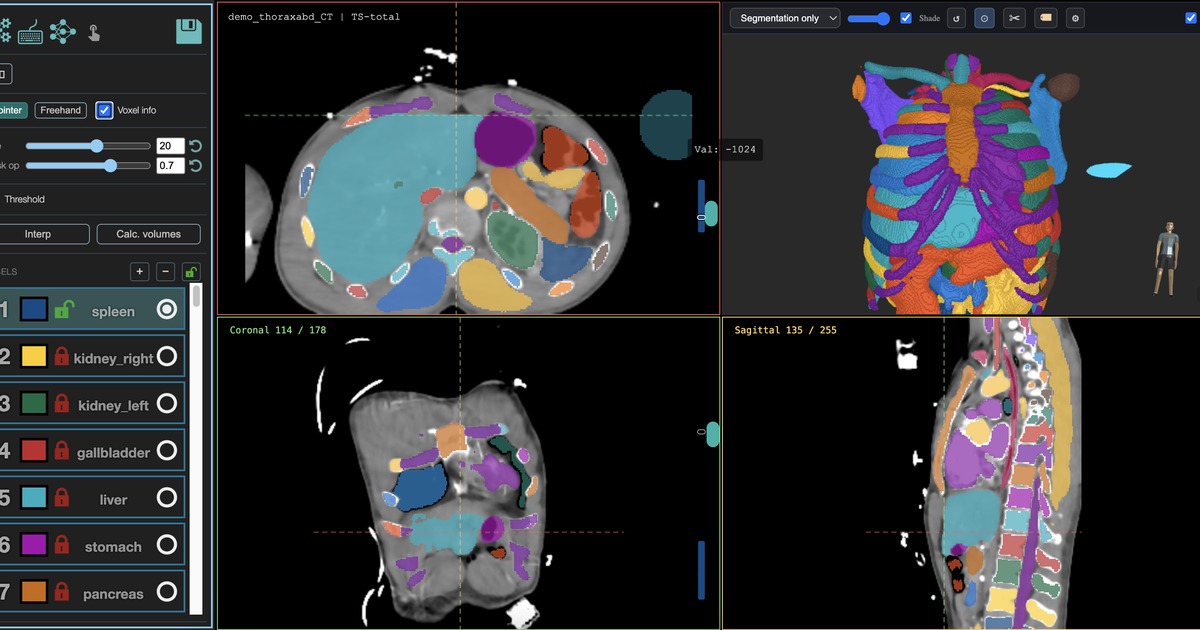
Whole-body CT segmentation for organs, vessels, skeleton, muscles, and many common anatomical structures.
MedSeg integrates TotalSegmentator into a browser workspace so CT and MRI masks can be generated on hosted GPUs, opened in the editor, corrected, measured, and exported.
Use the broad task when you need many structures. Use a subtask when you need a focused target that the broad model does not cover.
Whole-body CT segmentation for organs, vessels, skeleton, muscles, and many common anatomical structures.
MRI organ segmentation for research workflows where an organ-by-organ baseline mask is useful.
Liver lesions, Couinaud segments, lung vessels, effusions, hip implants, head and neck structures, and other targeted tasks.
The mask is not trapped in the model output folder. It becomes part of the project.
Lock labels, correct boundaries, merge masks, or remove labels you do not need.
Use volume analysis and per-label measurements to find outliers across the dataset.
Download masks as NIfTI or build DICOM-compatible bundles for review workflows.
TotalSegmentator is not a final answer for every target. For tumors outside explicit lesion subtasks, rare anatomy, pediatric anatomy, or site-specific structures, use nnInteractive, VoxTell, or custom nnU-Net training.