Uncommon anatomy or pathology
Point at the target and let the model propose a 3D mask instead of drawing every slice from scratch.
nnInteractive turns sparse prompts into 3D medical masks. In MedSeg, you can guide it with foreground/background clicks, scribbles, freehand outlines, or a bounding box, then accept, edit, save, and export the mask.
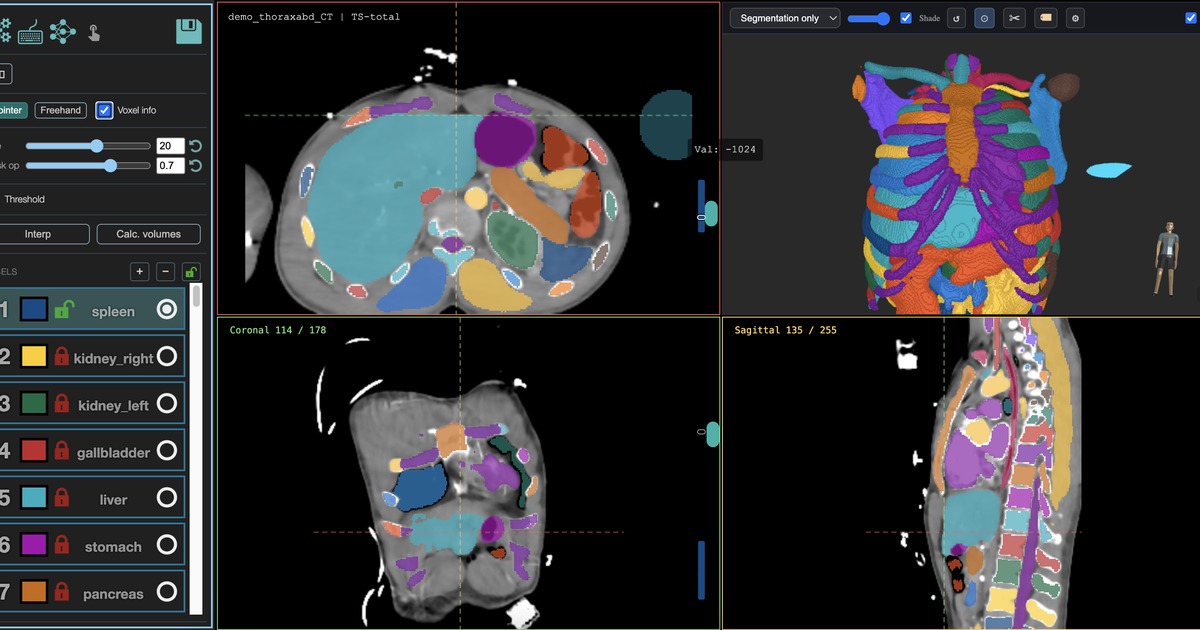
Use it when you know the structure in the image, but no fixed-class model covers it reliably.
Point at the target and let the model propose a 3D mask instead of drawing every slice from scratch.
Start from a rough automated mask, then add positive and negative prompts to nudge the boundary.
Create first-pass labels, correct them, mark them for training, and then move to a custom nnU-Net model.
nnInteractive is an editor tool, not a one-shot project-view model. You open a series first, then interact with the image.
| Tool | Input | Best use |
|---|---|---|
| nnInteractive | Clicks, scribbles, freehand, boxes | Interactive mask creation and correction inside the editor |
| VoxTell | Free-text prompts | Exploratory text-prompted candidate masks when the target is hard to name as a fixed class |
| Custom nnU-Net | Corrected masks from multiple cases | Repeatable batch segmentation once you have examples |
Review every mask. nnInteractive proposes candidate segmentations; it does not replace expert review. GPU sessions are limited so the shared worker remains available to other researchers.